
We’re excited to announce the release of Invest for Excel® version 4.3.
Highlights in Invest for Excel® 4.3
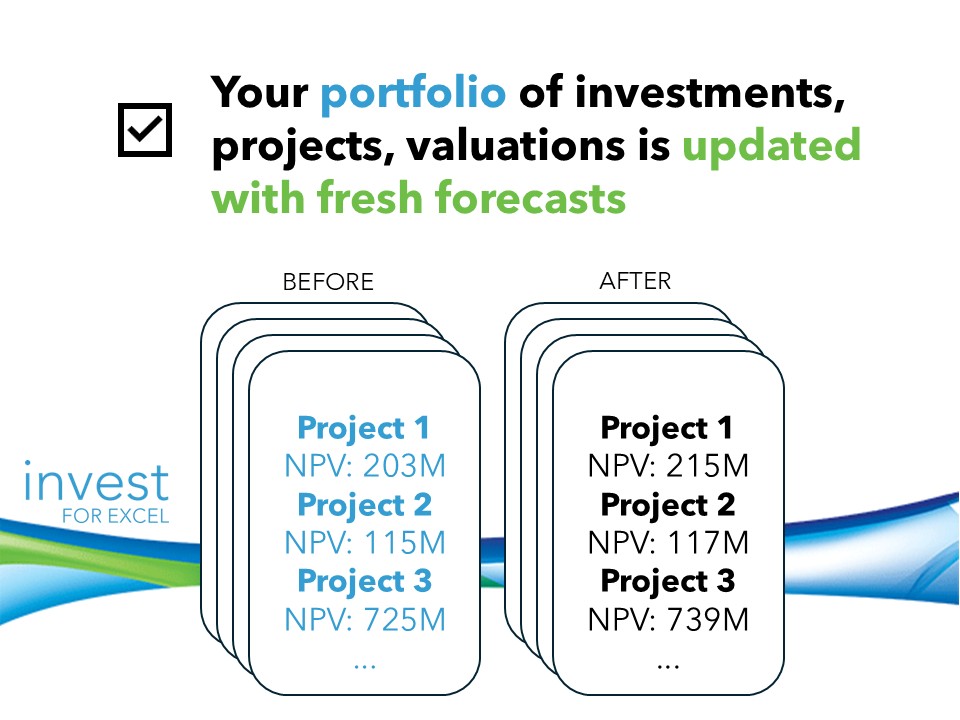
1. The concept of centralized parameters
Invest for Excel® version 4.3 introduces a new parameter table that can be added to the Calculation files, to a designated section of Income Statement. Parameters can be entered directly or managed through centralized parameter files, making it easier to maintain consistent assumptions across calculations and update values efficiently.
This concept ensures that the whole organization – or teams, business units or other groups – can use same parameters in their calculations, through centralized management of parameters.
Control all your key assumptions in one place. Build and update projects and investment portfolio easily – thanks to the concept of centralized parameters.
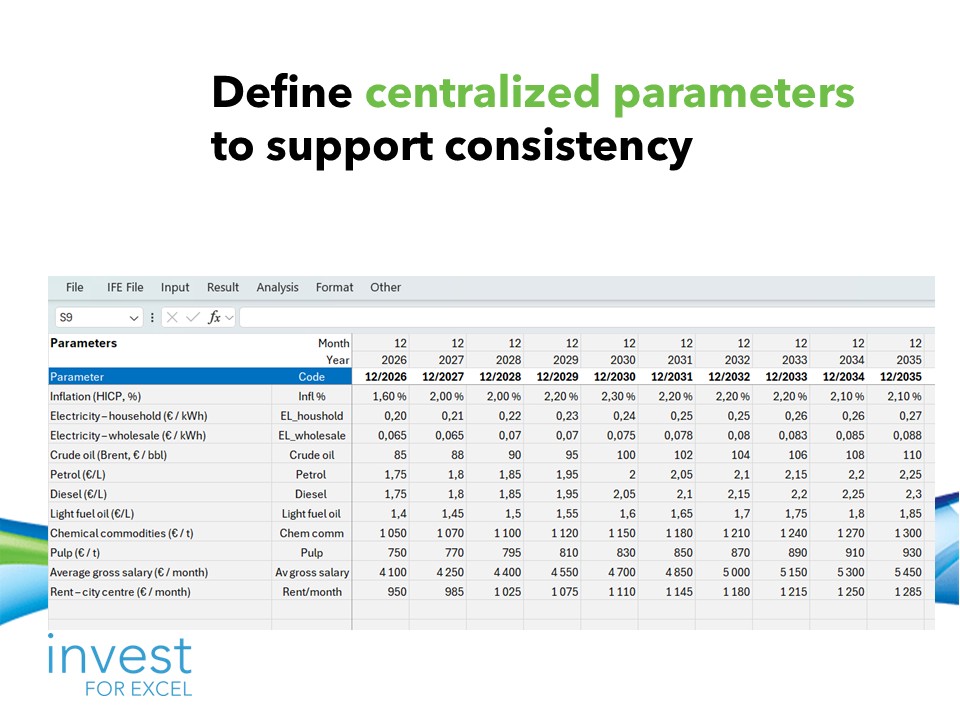
The parameters can be defined flexibly and aligned with your business relevancy i.e. inflation, price forecast of electricity, oil, fuels, chemicals, pulp, rents, salaries, currency exchange rates and more.
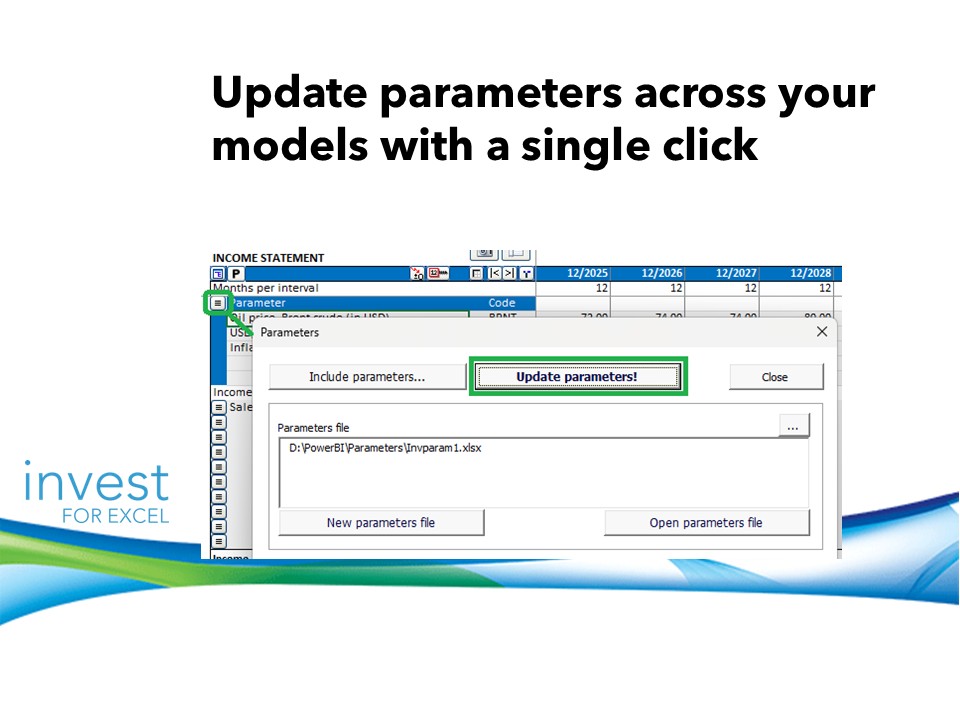
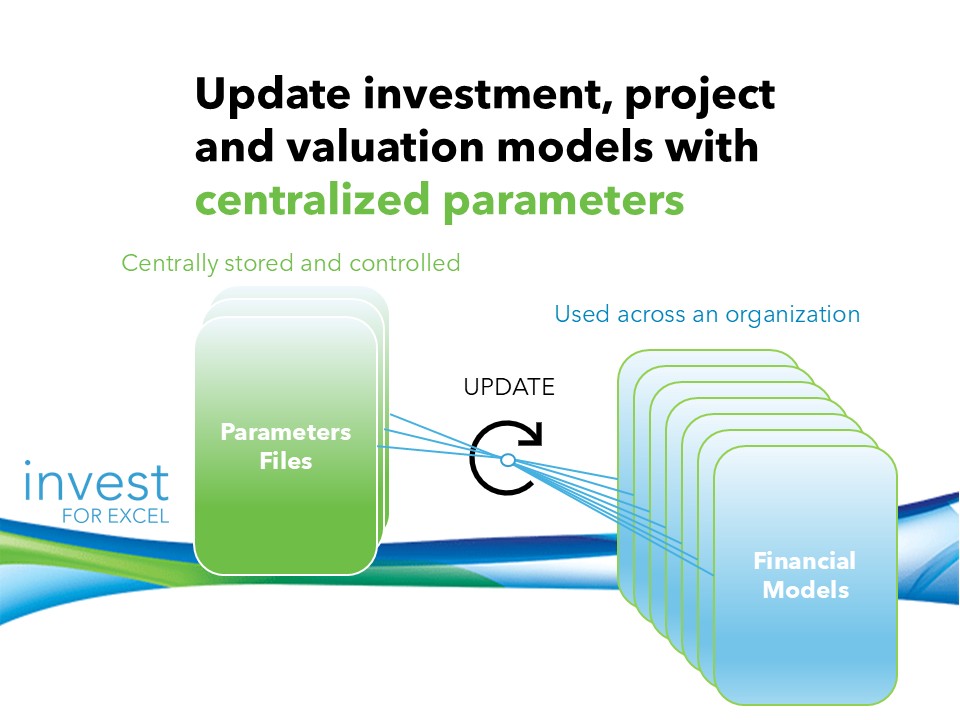
As a result, you will get updated models that help you navigate your business more effectively and develop stronger investment strategies.
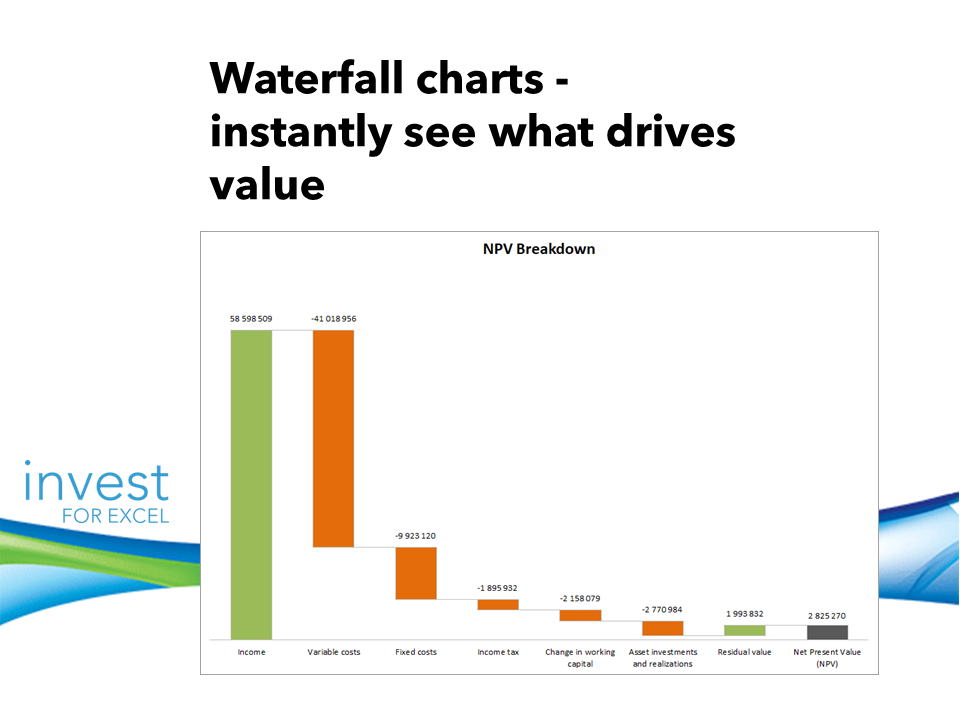
2. Waterfall charts for NPV analysis
See exactly what drives your NPV.
You can now create waterfall charts for NPV and NPV to Equity, helping visualize cash flow contributions clearly, and improving transparency and confidence in your investment decisions.
New options allow you to summarize operating cash flow and include zero values when needed.
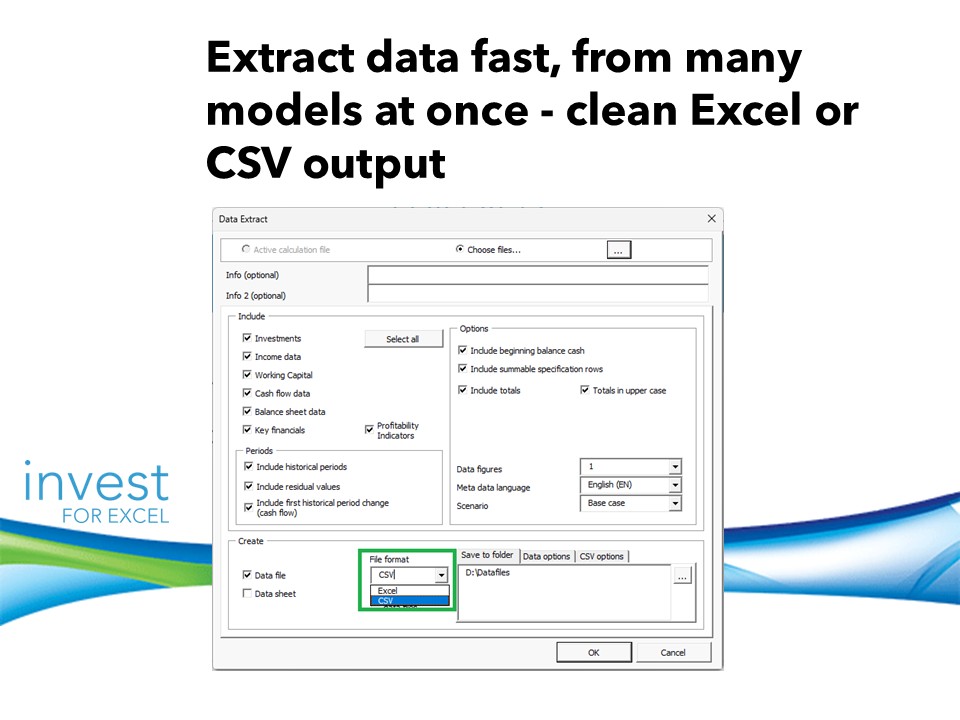
3. Data Extraction from multiple files in one run
Turn multiple models into usable data in minutes.
Extract data from several calculation files in one run and export clean Excel or CSV files, ready for reporting, consolidation, or further analysis. Exports are available in Excel or CSV format, with flexible options for file structure, separators, and date formats.
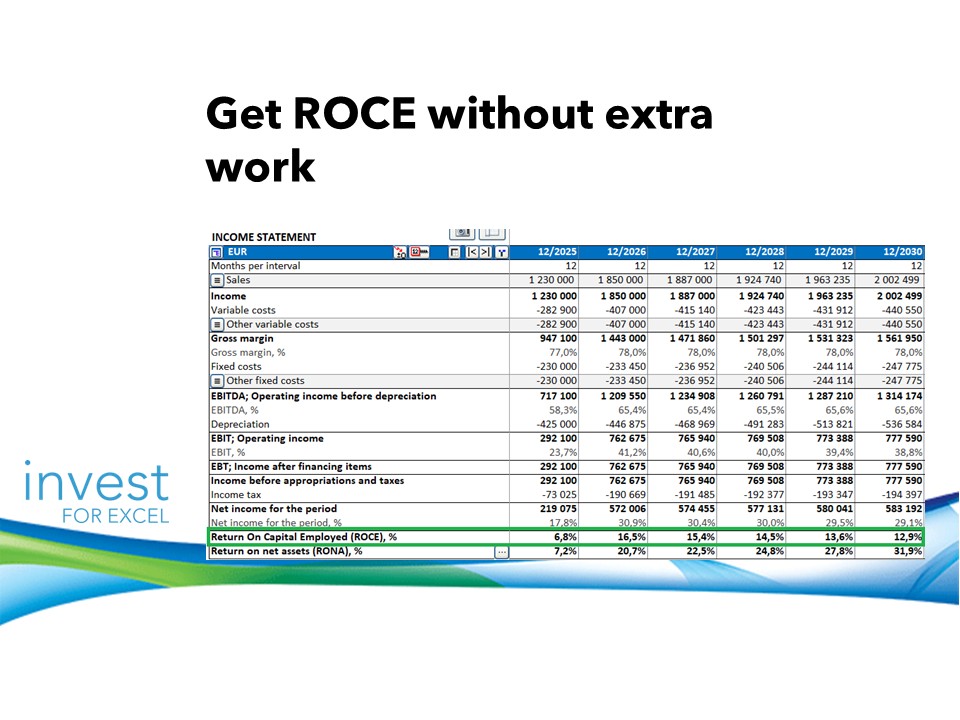
4. Return on Capital Employed (ROCE)
Measure capital efficiency instantly.
ROCE is now built directly into your Income Statement and Profitability Analysis, giving you immediate insight into how effectively capital is employed—without extra setup. The definition of capital employed can be adjusted in Options.
5. Security and Compatibility
Work with confidence on a secure, future-proof platform.
Invest for Excel® 4.3 is digitally signed and fully compatible with modern Excel and Windows versions, ensuring stability, security, and long-term usability.
- The program code is digitally signed and valid through January 24, 2029.
- Supported on Microsoft Excel 2010, 2013, 2016, 2019, 2021, 2024 and 365 Desktop
- Compatible with Windows 8.1, 10, and 11 (32-bit and 64-bit)
And many other functions!

Read a full PDF on What’s new in Invest for Excel® 4.3. here.
We encourage all existing users to update today from Extranet and immediately benefit from these enhancements.
Not using Invest for Excel® yet? There’s never been a better time to discover how this powerful software can transform your financial analysis and decision-making. Get started for free.
If you have any questions or would like help updating or getting started, our team is ready to assist – just reach out.
More information – Contact us
Written by: Malgorzata Jargan, Vice President Business Solutions
Contact information:
E-mail: mj@datapartner.fi, Tel. Finland: +358 40 70 41 493
DataPartner Oy
Raatihuoneenkatu 8A
06100 Porvoo
Finland
Tel. +358 19 54 10 100
E-mail: datapartner@datapartner.fi